

API access
A script, such as a scheduled GitHub Actions workflow, can upload records into an artifact source with an API token. The token belongs to a robot account: an account with no sign-in that you create, then share sources with. It takes no seat and appears in no list of people.
Records sent this way are matched on their Reference ID, as any upload is: sending a record again updates its row instead of adding one.
Set up a script
Section titled “Set up a script”-
Create a robot account. Select your name at the bottom of the sidebar and choose API Access. Select New robot, name it after the script that will use it, and select Create robot.
-
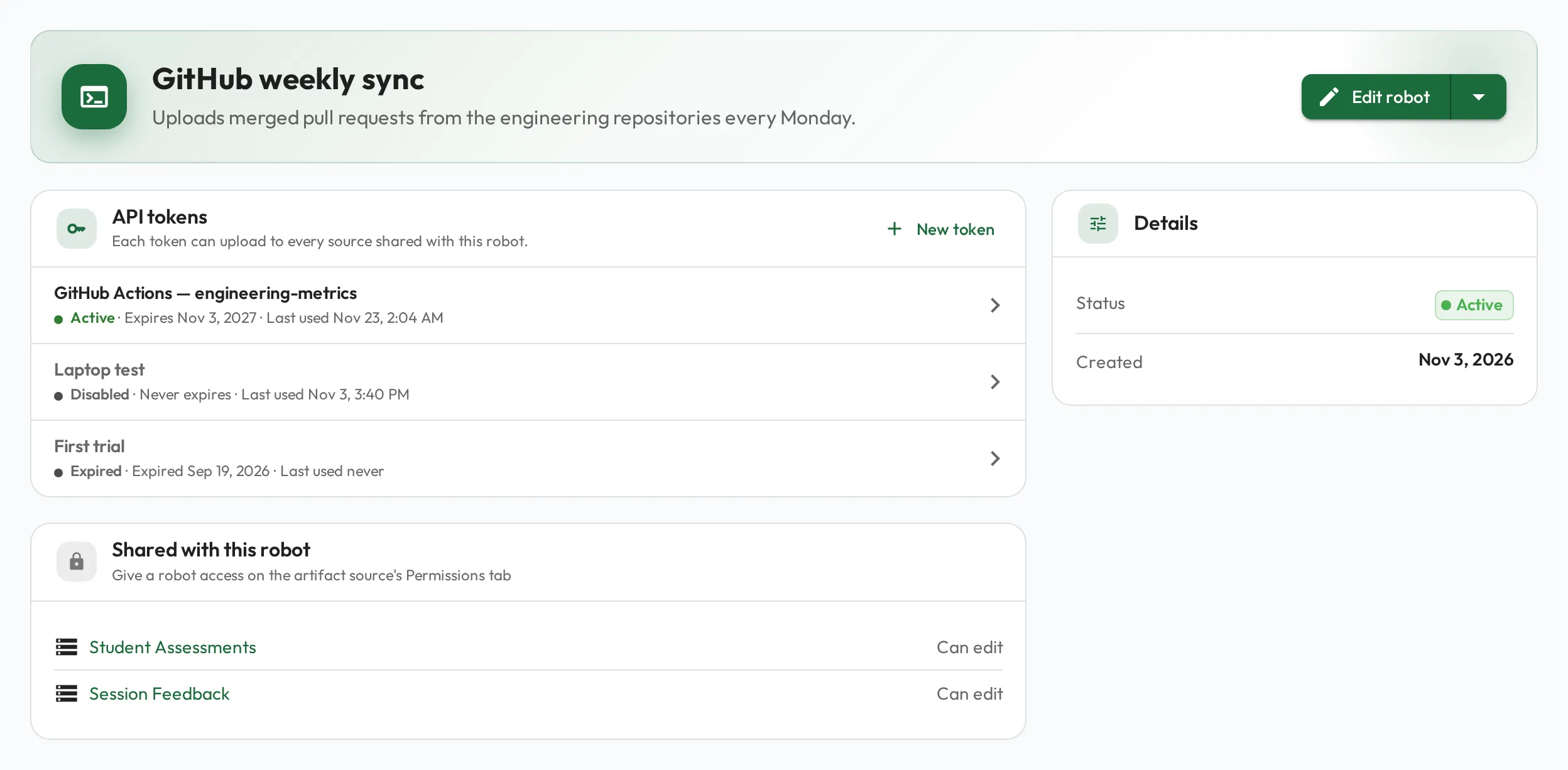
Share a source with it. A robot starts with access to nothing. On the artifact source’s Permissions tab, add a permission for the robot with Can edit, as in Sharing an artifact source. The robot’s page lists every source shared with it.
-
Create a token. On the robot’s page, select New token in the API tokens card. Name it after where it will be used, choose when it expires, at most one year away or Never (not recommended), and select Create token.
-
Copy the token. It is shown only this once. Store it as a secret in your script’s settings, such as a GitHub Actions secret.
Try the token
Section titled “Try the token”The API is at the address you sign in to Admire at, followed by /api: https://app.<region>.admire.ai/api, where <region> is us (United States) or ca (Canada), as in your address bar. The commands below read the token from an ADMIRE_API_TOKEN environment variable; in GitHub Actions, set it from your secret.
curl "https://app.<region>.admire.ai/api/v1/me" \-H "Authorization: Bearer $ADMIRE_API_TOKEN"It answers with the robot’s name, your organization’s name, the token’s name and when it expires, if it does. It needs nothing shared with the robot, so it checks the token before anything else. The dialog that shows a new token offers the same call, filled in for your region.
Upload records
Section titled “Upload records”Send records to the source’s id: the last part of the source’s address when you open it in Admire. Each record needs a ref_id and its fields under raw_data.
curl "https://app.<region>.admire.ai/api/v1/artifact_sources/<source id>/records" \-H "Authorization: Bearer $ADMIRE_API_TOKEN" \-H "Content-Type: application/json" \--fail-with-body \-d '{"records": [{"ref_id": "pr-1042", "raw_data": {"title": "Fix login", "merged": true}}]}'The answer says how many records were added or updated. The API reference lists every route, what it takes, and each error answer. Tools and AI assistants that read OpenAPI can use the OpenAPI file.
Keep tokens safe
Section titled “Keep tokens safe”- A robot can hold several tokens at once. To replace one, create the new token, move your script to it, then turn the old one off.
- Select a token on the robot’s page to rename it, turn it off or on, or delete it. A token turned off stops working at once and can be turned on again; a deleted token cannot. A token’s expiry cannot change.
- Disabling the robot stops all its tokens until you enable it again. A disabled robot can still be given tokens, so you can set one up before it runs; its calls answer 401 until then. Removing a source from the robot stops its uploads to that source.