Skills overview
A skill is a specific, observable capability someone can develop, for example “Gives actionable feedback” or “Closes a support ticket cleanly.” Each skill defines how it’s assessed and what counts as mastery, so progress is measured consistently across your team.
Skill: the unit of management
Section titled “Skill: the unit of management”Admire treats the skill as the unit of management. Almost everything a manager cares about ladders up to skills: a job description is really the set of skills a role requires, a performance review is a snapshot of skills demonstrated, and a development plan is a path to the next skill. Anchoring on skills works because skills:
- Drive results: they directly affect whether goals are met.
- Are in people’s control: unlike outcomes, someone can actually work on a skill.
- Align everyone: individuals, managers, and AI share one clear definition of what good looks like.
- Standardize and automate: because skills are defined consistently, AI can track them, coach on them, and handle the legwork.
So the things a manager already works with are really views of the same underlying skills:
flowchart LR
  Skill(("Skill"))

  Skill -- "increases success on" --> Goals["Goals"]
  Skill -- "makes up" --> JobDescription["Job description"]
  Skill -- "is demonstrated in" --> Review["Performance review"]
  Skill -- "is the next step in a" --> Plan["Development plan"]
What makes up a skill
Section titled “What makes up a skill”- A description of what the skill is and what good looks like. This captures the what, not the how. How to actually carry out the skill belongs in a linked playbook page, so an assessment can point straight to the guidance for closing a gap.
- An assessment type: how you score it (see Assessment types).
- A mastery threshold: the score (0–100) to reach, and the number of consecutive sessions in a row at or above it required to count as Proficient. Requiring more than one makes proficiency reflect consistency, not a one-off. Calculating mastery explains Proficient and Mastered.
Skill trees
Section titled “Skill trees”Skills can be organized hierarchically, with broader skills made up of narrower ones. A composite skill can roll up its children, letting you track both the big-picture capability and the specific behaviors underneath it.
Here is the shape applied to a real tree from the Skills Vault, the “Apply AI Tools Effectively in Daily Work” skillset. Notice the behaviour count varies per skill: some have several, some have none.
| Category | Name | Assessment type |
|---|---|---|
| Skillset | Apply AI Tools Effectively in Daily Work | Composite |
| Skill | Structure Effective AI Requests | Rating |
| Behaviour | ↳ Provide relevant context and constraints | Binary |
| Behaviour | ↳ State the task and desired output clearly | Binary |
| Behaviour | ↳ Include an example of the result you want | Binary |
| Behaviour | ↳ Specify the format and length | Binary |
| Skill | Iterate, Refine, and Co-Create with AI | Rating |
| Behaviour | ↳ Critique and redirect weak responses | Binary |
| Behaviour | ↳ Combine AI output with your own expertise | Binary |
| Skill | Redesign Personal Workflows Around AI | Rating |
| Skill | Communicate AI-Assisted Work to Stakeholders | Rating |
| Skill | Adapt Continuously as AI Tools Evolve | Rating |
| Behaviour | ↳ Evaluate new AI tools against workflow needs | Binary |
Each level plays a different role:
- Skillset is for organization. It groups related skills under one capability and isn’t assessed directly; its score rolls up from the skills beneath it.
- Skill is the level you usually assess directly. Because it’s rating-based, a coach uses their judgement to decide where the person lands.
- Behaviour aids skill assessment by grading in a more yes/no manner. When a coach is unsure how to rate a skill, they can assess its behaviours to guide them and build up toward the skill assessment. Behaviours are optional, so a skill can have none.
Creating skills
Section titled “Creating skills”You can build skills three ways. We recommend them in this order:
- Use AI over MCP (recommended): connect an AI tool and let it guide skill creation. It understands Admire’s structure and asks the right questions, so it’s the fastest way to a well-formed skill.
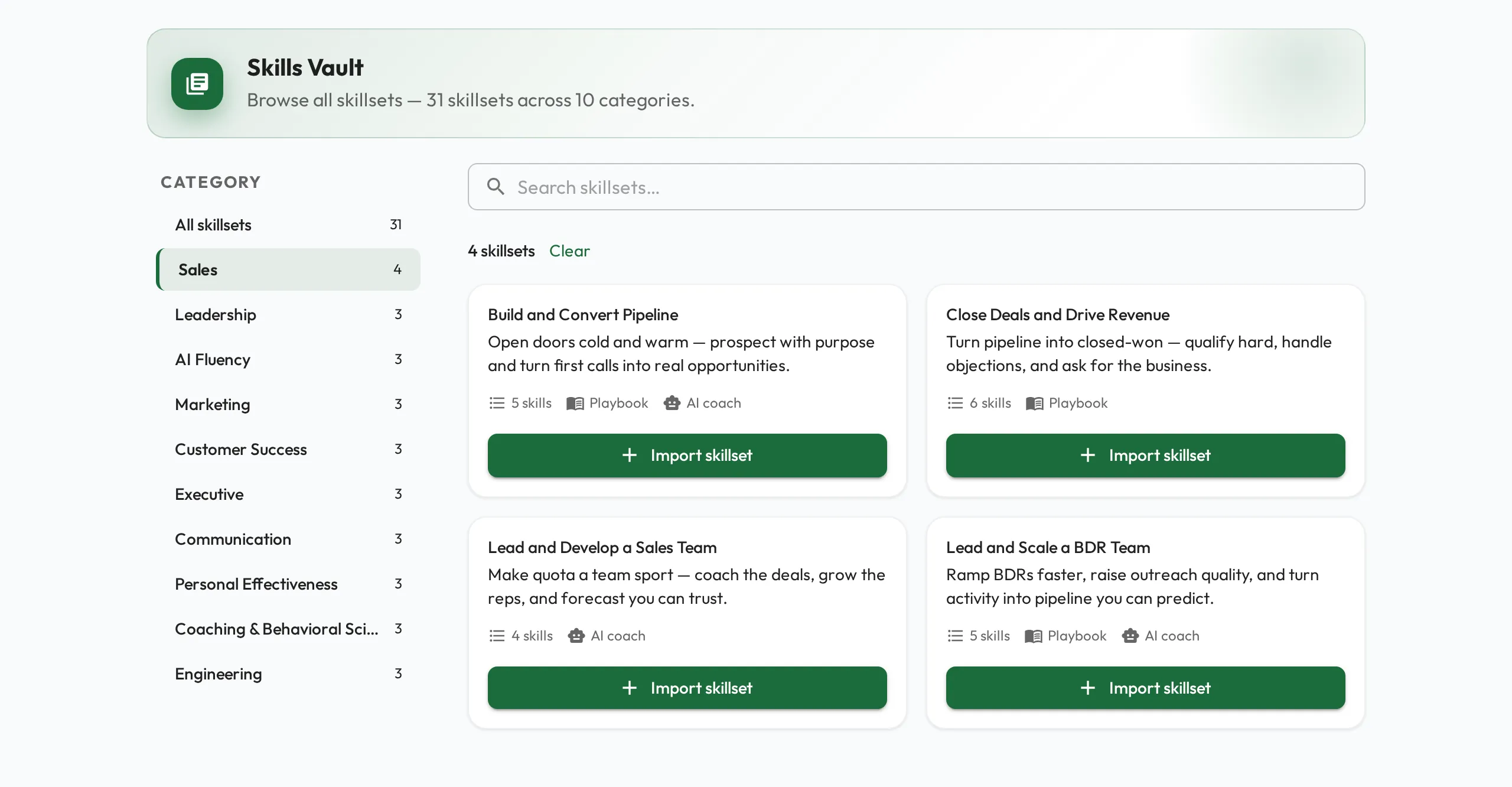
- Import from the Skills Vault and adjust: browse the Vault by category, import a ready-made skillset, and tailor it to your context.
- Create directly: once you’re comfortable with how skills are structured, define one by hand.
To grow a tree, open the skill you want to nest under and choose New Child Skill. On a skillset it is the button next to Edit skill; on a skill, it is in the dropdown beside AI Coach. The create page opens with that skill already set as the parent.
You can edit a skill’s description and settings at any time, and disable a skill that’s no longer relevant without losing its history.
Browsing the Skills Vault
Section titled “Browsing the Skills Vault”The Skills Vault is a storefront of expert-built skillsets, what good looks like, ready to import and tailor to your team. The home page leads with a featured skillset and then rows of skillsets grouped by category, so you can scan by the outcome you care about instead of hunting through a flat list.
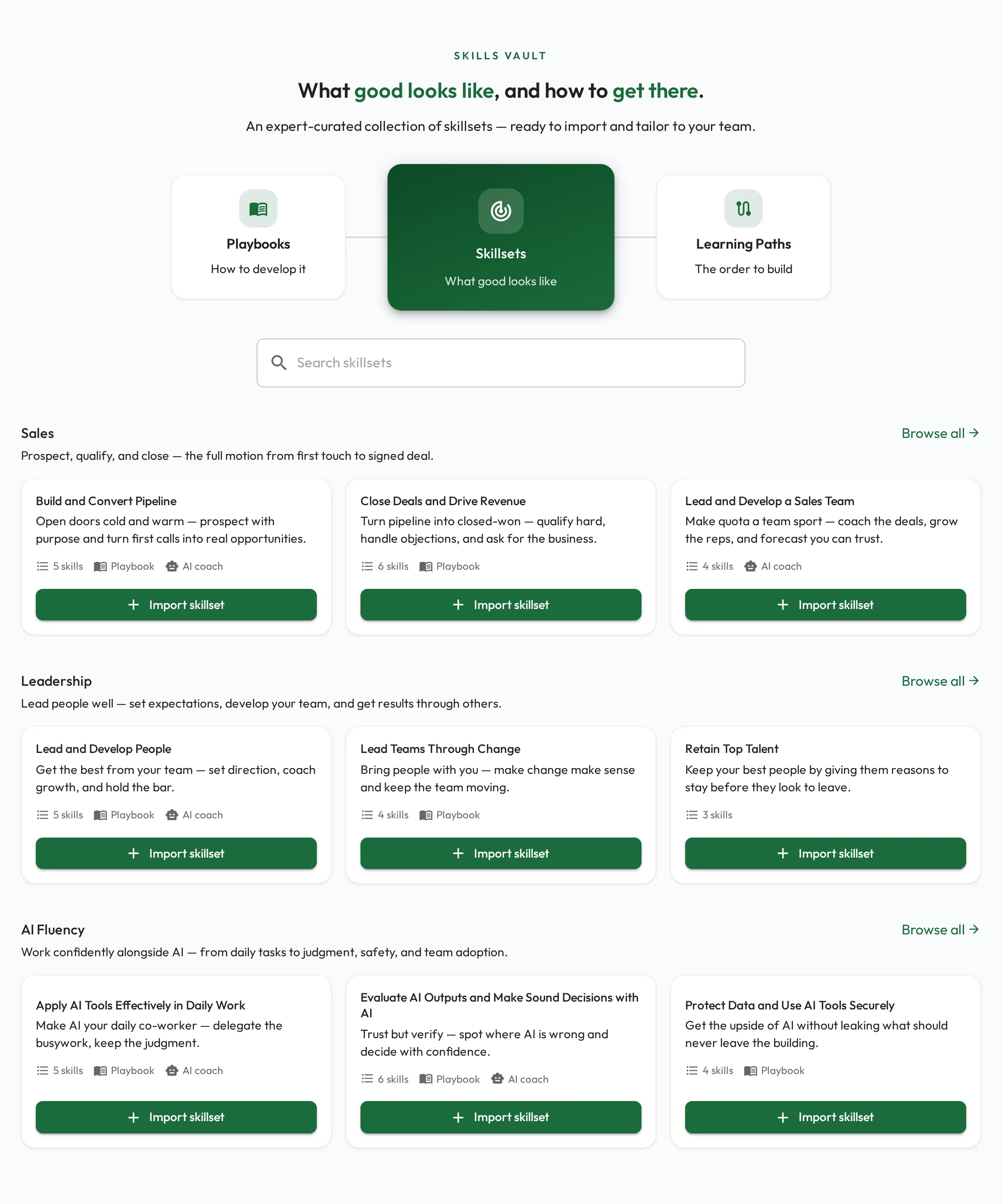
Importing brings the whole skillset into your organization (its skills, their behaviours, and any linked playbook pages and AI coaches), where you can adjust it.