

Impersonating users
Sometimes you need to see Admire as someone in a role sees it, to check what a role can access, preview a coachee’s view, or sanity-check your setup before inviting anyone. Impersonation lets an admin do that with a placeholder person.
How it works
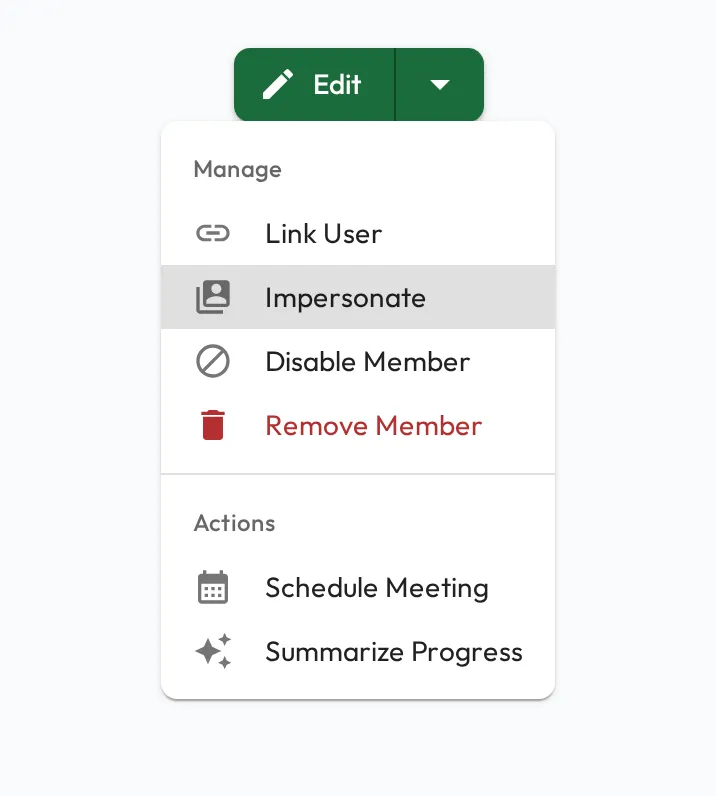
Section titled “How it works”Only placeholder people can be impersonated: people you’ve added without inviting. As an admin, open a placeholder person’s profile and choose Impersonate from the Manage menu. Admire shows you the platform as that person, with the same navigation, permissions, skills, and data they would see. Everything is scoped to their access, so it’s a faithful preview of their experience. While you’re impersonating, Admire frames the screen in gold as a constant reminder that you’re viewing as someone else. Stop impersonating to return to your own account.
Preview a role
Section titled “Preview a role”Create a placeholder in a role, impersonate them, and you can see precisely what someone in that role will get before they ever receive an invite. It’s the easiest way to validate roles, skills, and visibility while you set the organization up.