

Collections
Collections group similar skillsets so they are easy to discover and navigate. As your skills list grows, a collection keeps related skills together instead of leaving everyone to scroll one long, flat list.
A collection is a broad grouping of related skillsets, such as “Sales”, “Leadership”, or “AI Fluency”. A skillset belongs to a collection, and the behaviours beneath each skillset come along with it.
Creating a collection
Section titled “Creating a collection”From Skills, switch to the Collections tab to see every collection in your organization.
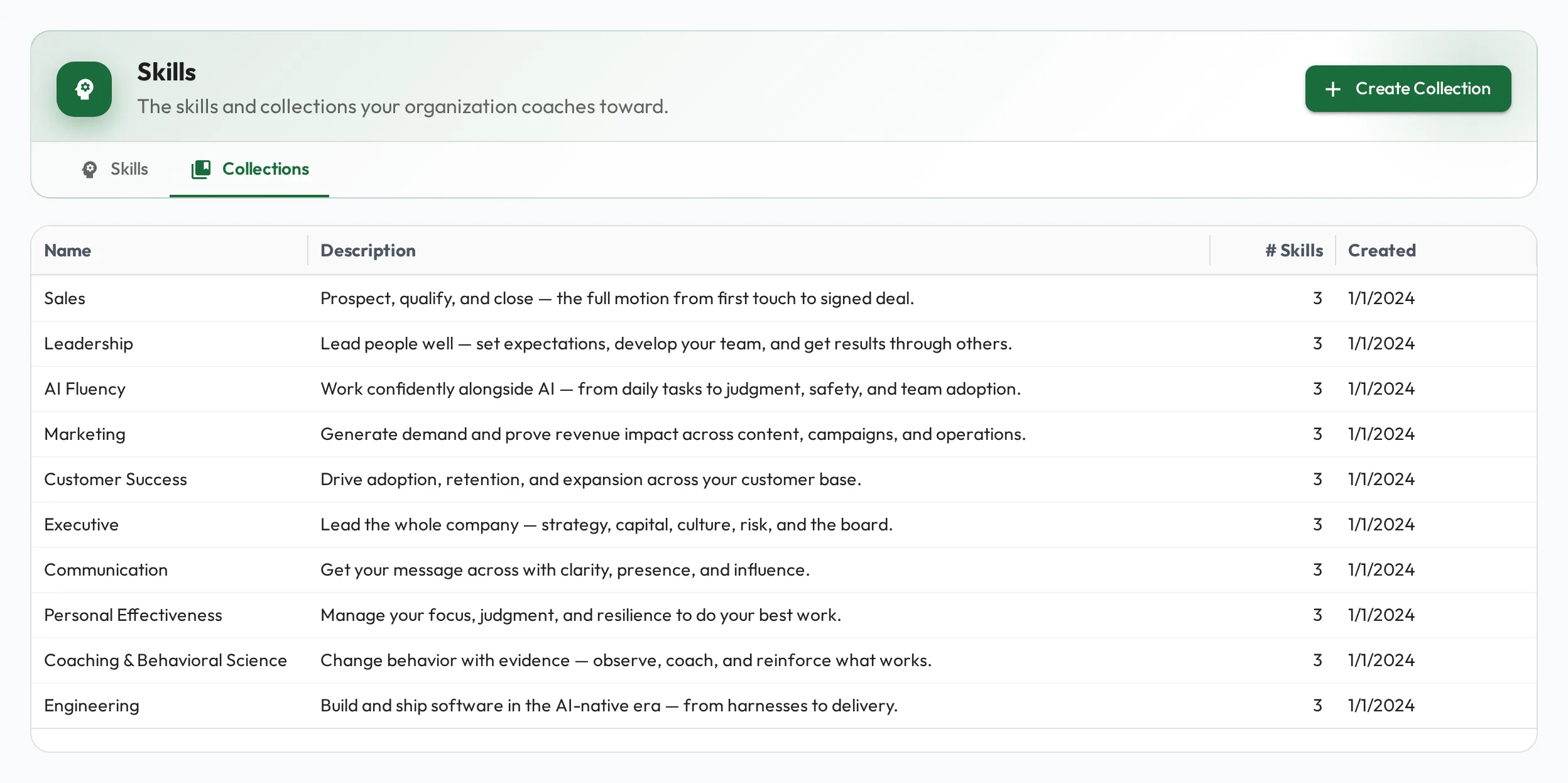
Choose Create Collection, give it a name, then pick its skills. Only root skills are selectable. A collection holds skillsets, and each skillset’s behaviours are included automatically, so the child skills show in the tree but can’t be selected on their own.
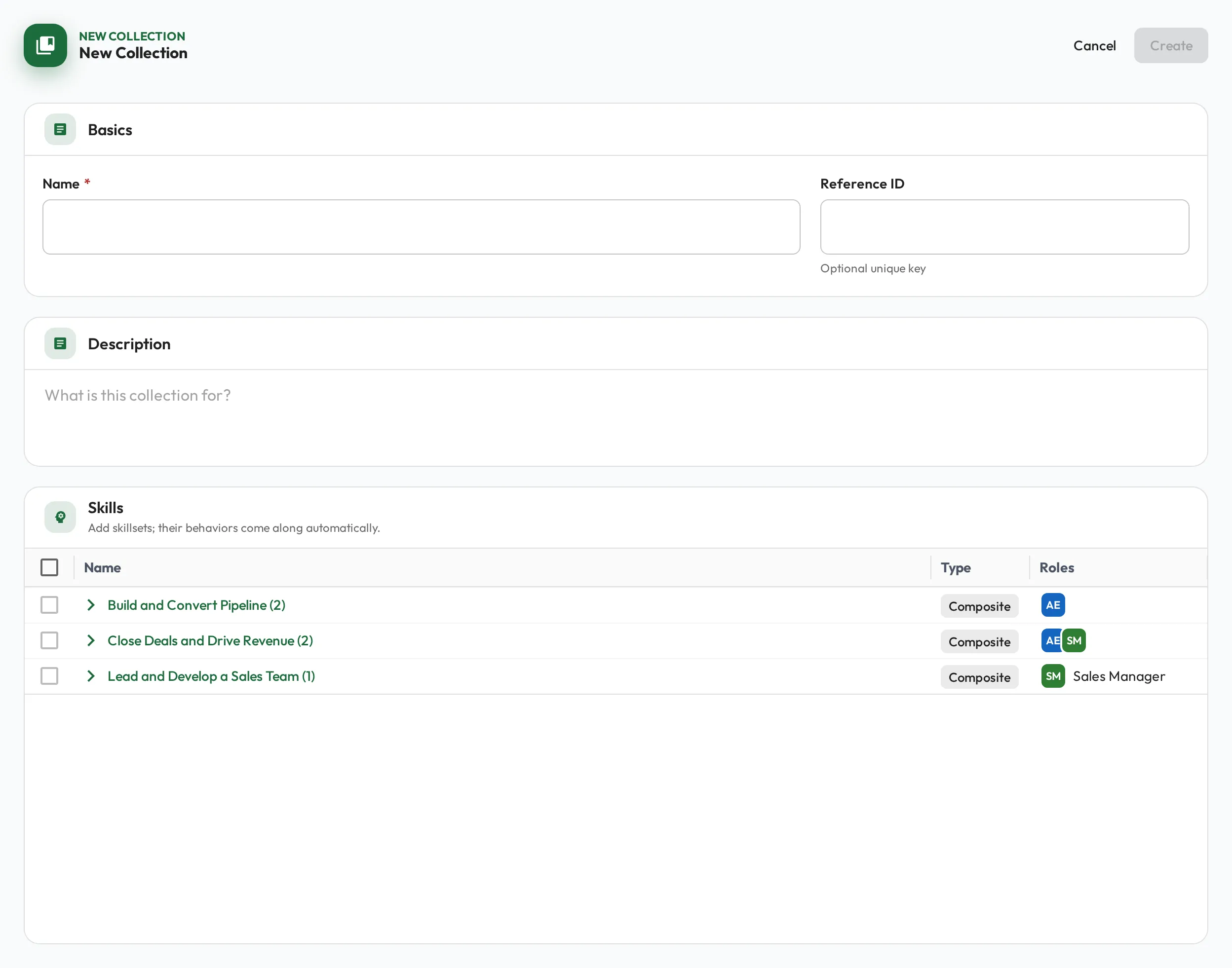
Open any collection to see exactly what it contains. The detail view lists only that collection’s skillsets, and anyone with the Admin or Coach permission set can choose Edit collection to change its details or membership.