

Staff profiles
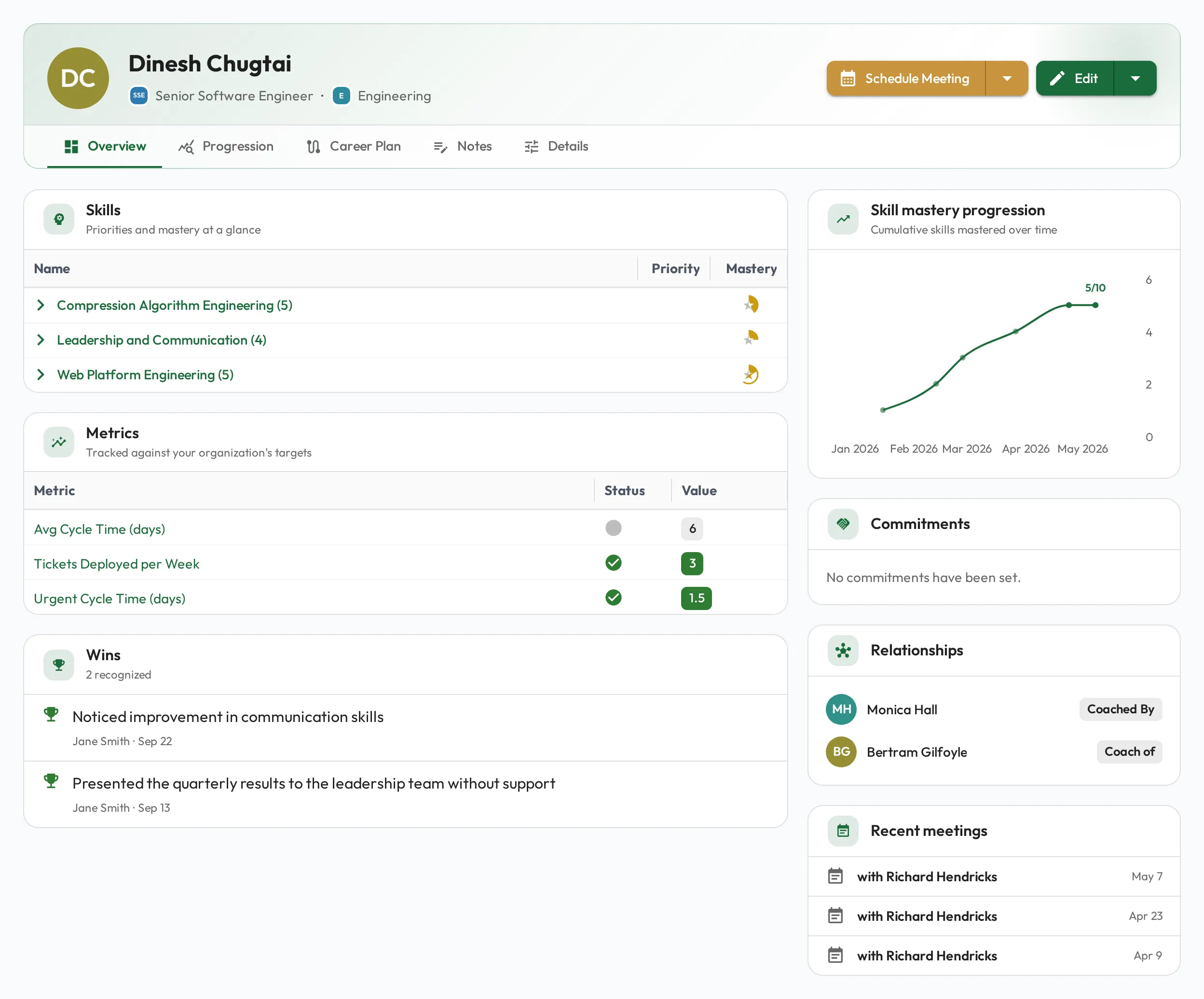
A person’s profile is the single place to understand and manage their development. To know anything about someone, what’s expected of them, where they stand, and the context behind it, start here.
What a profile brings together
Section titled “What a profile brings together”Expectations
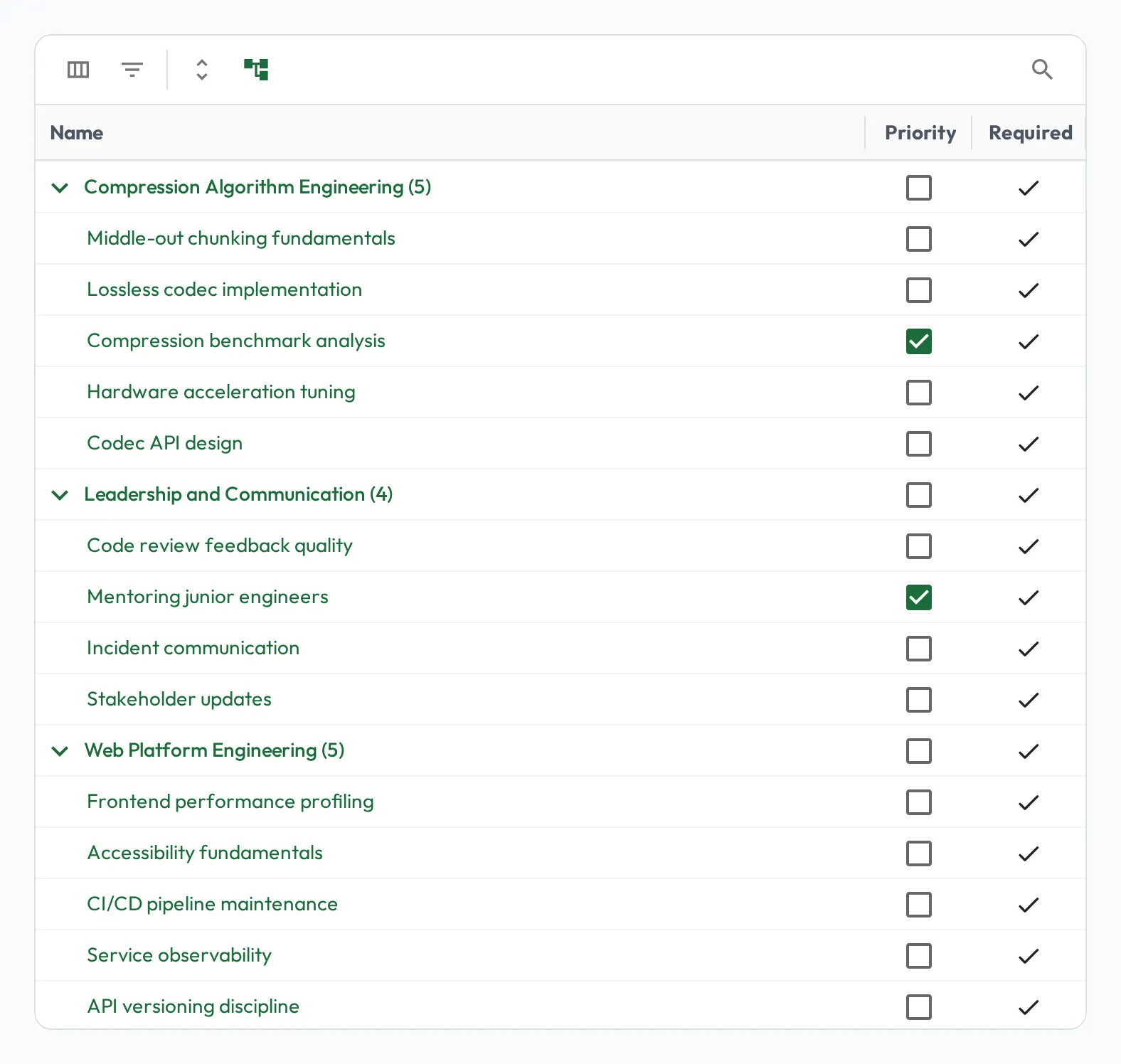
Section titled “Expectations”Every skill expected of the person, both inherited from their role and assigned directly through their career plan. Each skill carries its designations (required, priority), so it’s always clear what matters most.
Skill progress
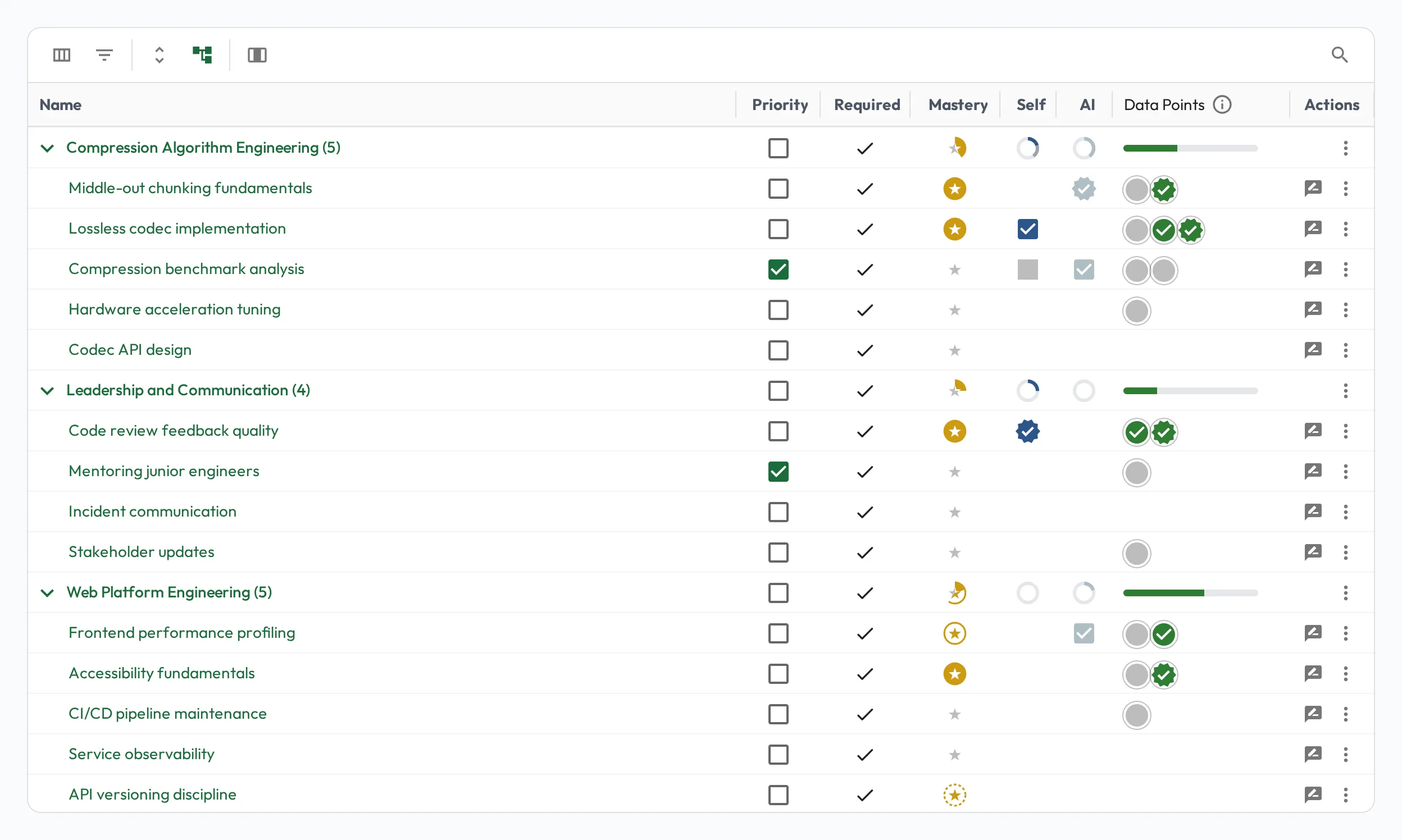
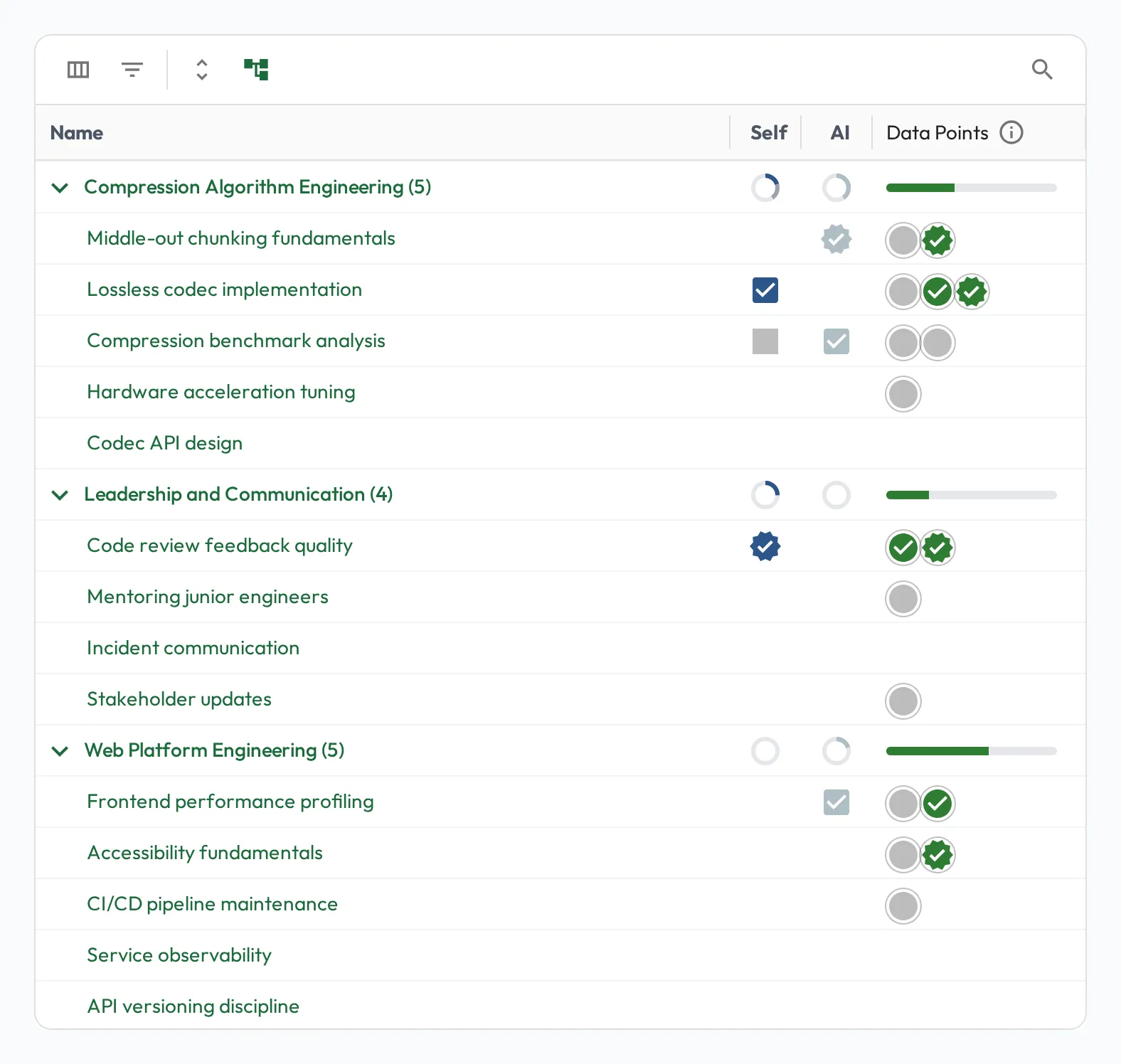
Section titled “Skill progress”The current level and mastery for each skill, built from discrete observations. Observations come from three sources, shown side by side for every skill:
- Data Points: assessments recorded by a coach or expert, in Meetings or as quick observations. These drive mastery (see Calculating mastery).
- Self: the person’s own self-assessments.
- AI: practice sessions graded by AI Coaching.
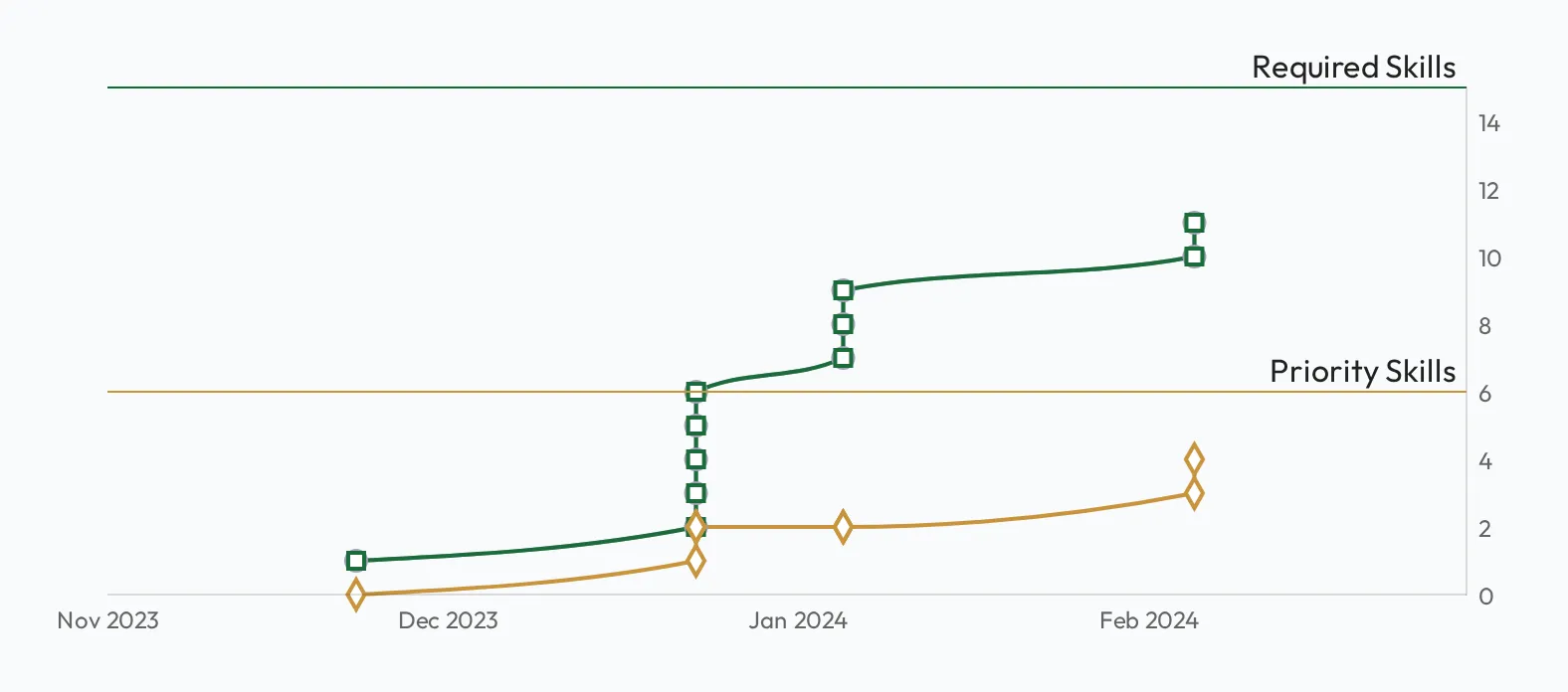
As observations accumulate into mastery, the progression chart shows the person’s development velocity at a glance:
Skills practiced outside a role
Section titled “Skills practiced outside a role”A person can practice any skill your organization coaches through AI Coaching, including skills no role assigns them. The Progression tab hides those results by default. The globe button in the Skills grid toolbar folds them in, greyed and tagged Not assigned; its tooltip counts them first (for example, Show 3 skills observed outside their roles). If the person has nothing assigned at all, they show by default.
Priority and the Assume proficient action are inactive on these rows. To make the skill a real expectation, assign it through a role or their career plan.
Role metrics
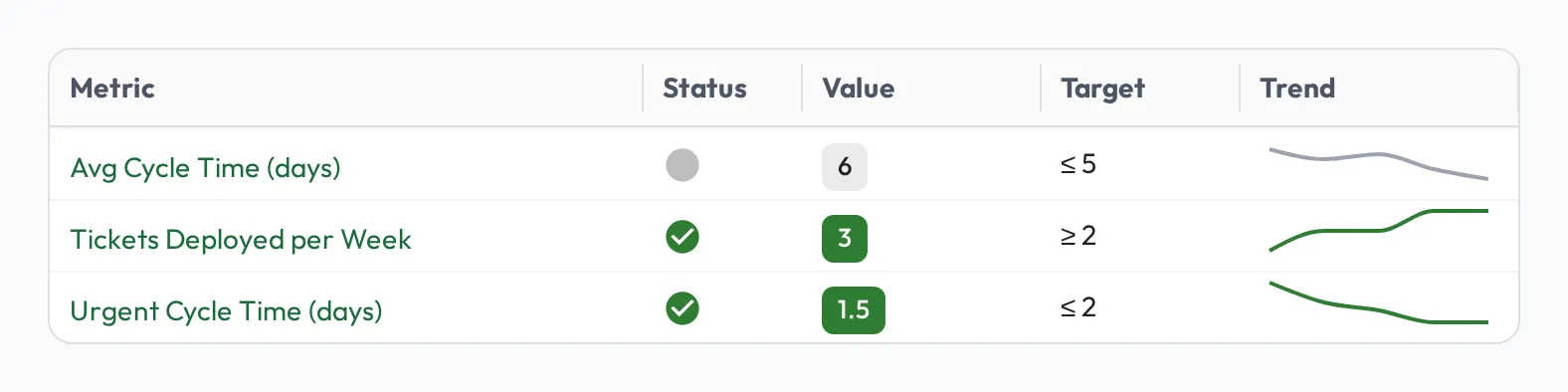
Section titled “Role metrics”Continuous, data-driven KPIs assessed automatically from your data, shown as per-person sparklines alongside skills. These complement skill observations: metrics for what can be measured, observations for what needs an expert’s eye. See Role metrics.
Notes and career plan
Section titled “Notes and career plan”The profile also carries the person’s notes, the general notes, tasks, and wins captured over time, and their career plan, the direct skill assignments and open-ended development plan for growth beyond the role.
Prioritizing skills
Section titled “Prioritizing skills”Not every skill matters equally at every moment. From the profile you can prioritize the skills to focus on for this person right now, so coaching and Meetings center on what will move the needle without losing sight of the rest. This is the per-person complement to a role’s designations. The role sets the baseline, and the profile lets you tune the focus for the individual.
Using the profile
Section titled “Using the profile”The profile is where day-to-day coaching starts. From it you can:
- Take a quick observation on a skill. Record what you just saw directly from the skills grid, no Meeting required (see Share drafted observations).
- Capture notes and jot successes. Add context, tasks, and wins as they happen so nothing is lost between sessions (see Notes).
- Prioritize the skills to focus on. Tune the person’s focus so coaching centers on what will move the needle right now.
- Monitor progress and mastery. Watch levels, mastery, and metrics evolve, and recognize progress as skills reach the bar.
- Plan their career. Assign skills beyond the role and keep an open-ended development plan pointed at the next step (see Career plans).
- Summarize progress. Turn a period’s progress into a snapshot you can use for reviews and check-ins.
- Prepare for a Meeting. See what’s strong, what’s thin, and what to focus on next before a session (see Planning a Meeting).
For team-wide views across everyone at once, see Dashboards.