

Importing & shaping data
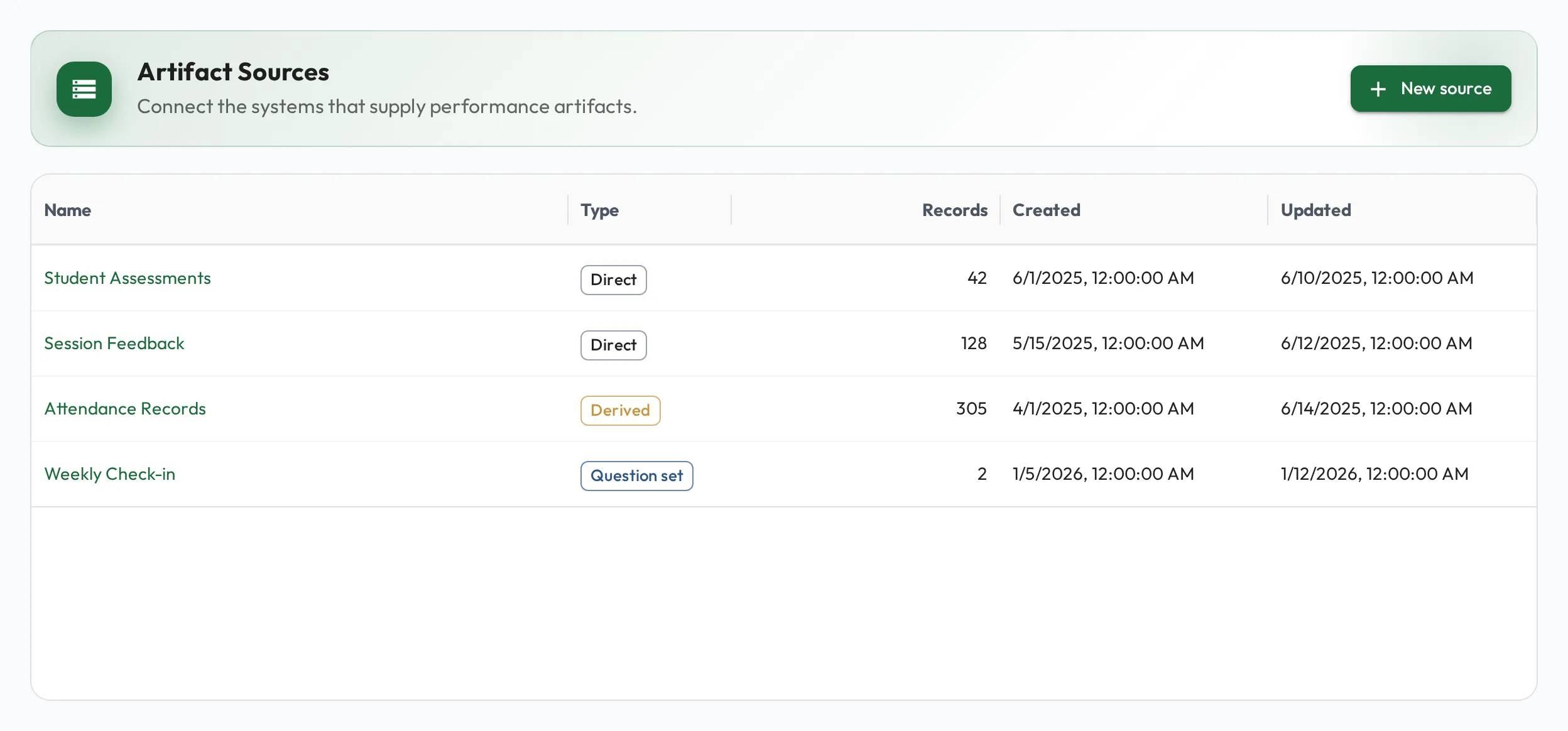
To report on results alongside skill development, you first need the results in Admire. Artifact sources bring outside data in, from your CRM, support desk, or any system that produces records, and turn it into tidy, queryable tables that sit right next to your people and skills.
Get data in
Section titled “Get data in”-
Create a source for a kind of record (deals, tickets, calls). Admire works out each new column’s type from your data as it arrives, so you don’t have to set up columns up front.
-
Load the records, two ways:
- CSV for a one-off or periodic load: upload a file and map its columns.
- API for a live feed: push records in continuously as they happen in your systems, so the data stays current with no manual step.
-
Route the columns you care about. A record can be any JSON shape, and a column routes a JSON path (even a nested one) to a typed value. Load records as they are, and add or re-route columns later.
Shape data with derived sources
Section titled “Shape data with derived sources”Ingested data is rarely in the exact shape you want to report on. A derived source is a new source whose rows are produced by a SQL query over one or more existing sources, the place to build aggregations, cross-source joins, or computed tables. Its rows are saved, so you can query and chart it like any other source.
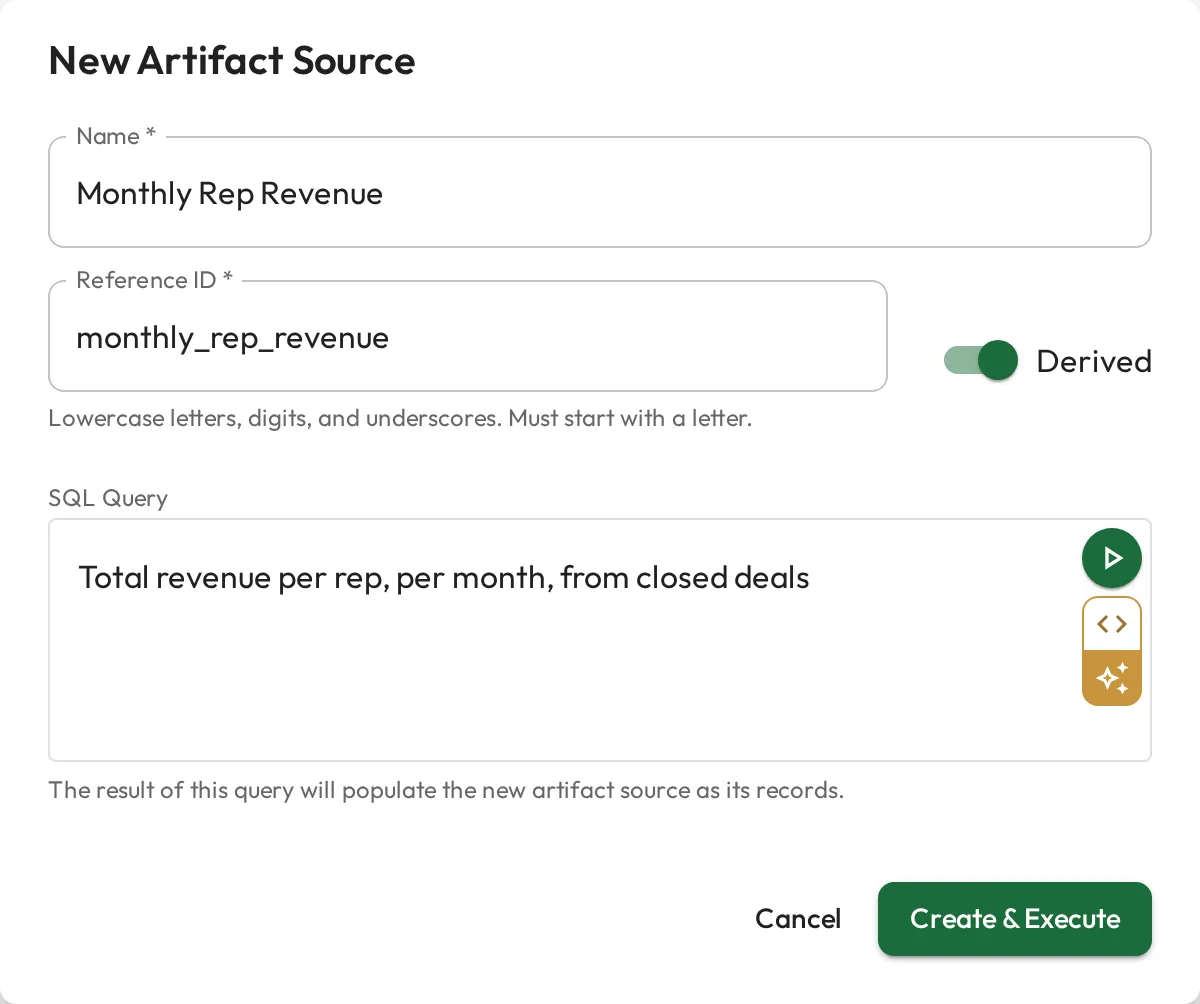
You can also add dynamic columns computed with SQL (a derived status, a bucket, a score) that store alongside your raw columns. Either way, the heavy shaping happens once, in Admire, without standing up a separate warehouse or BI stack.
With clean, queryable data in place, turn it into KPIs and analytics.