

Custom fields & domain types
Domain types are how Admire lets you tailor the platform to your organization, defining types of each kind of record (Meeting, Skill, Person, and so on), each type with its own custom fields.
Every organization tracks a little more than the built-in fields cover, and what that “little more” is depends on the work. You might need to record how often a skill is used on the job, whether it’s required for a certification, or a safety attribute that must be captured every time the skill is assessed so it isn’t lost between sessions. Domain types and custom fields let you record exactly this, alongside the standard fields, without waiting for it to be built into the product.
What you can customize
Section titled “What you can customize”Domain types apply across the platform, including:
- Meetings: e.g. different kinds of sessions with their own fields.
- Skills.
- Roles and teams.
- People.
Custom fields
Section titled “Custom fields”Each domain type can carry custom fields (text, number, date, yes/no, or a select list), and each field can be required and given a default. This is how you capture exactly the information your organization needs on each record.
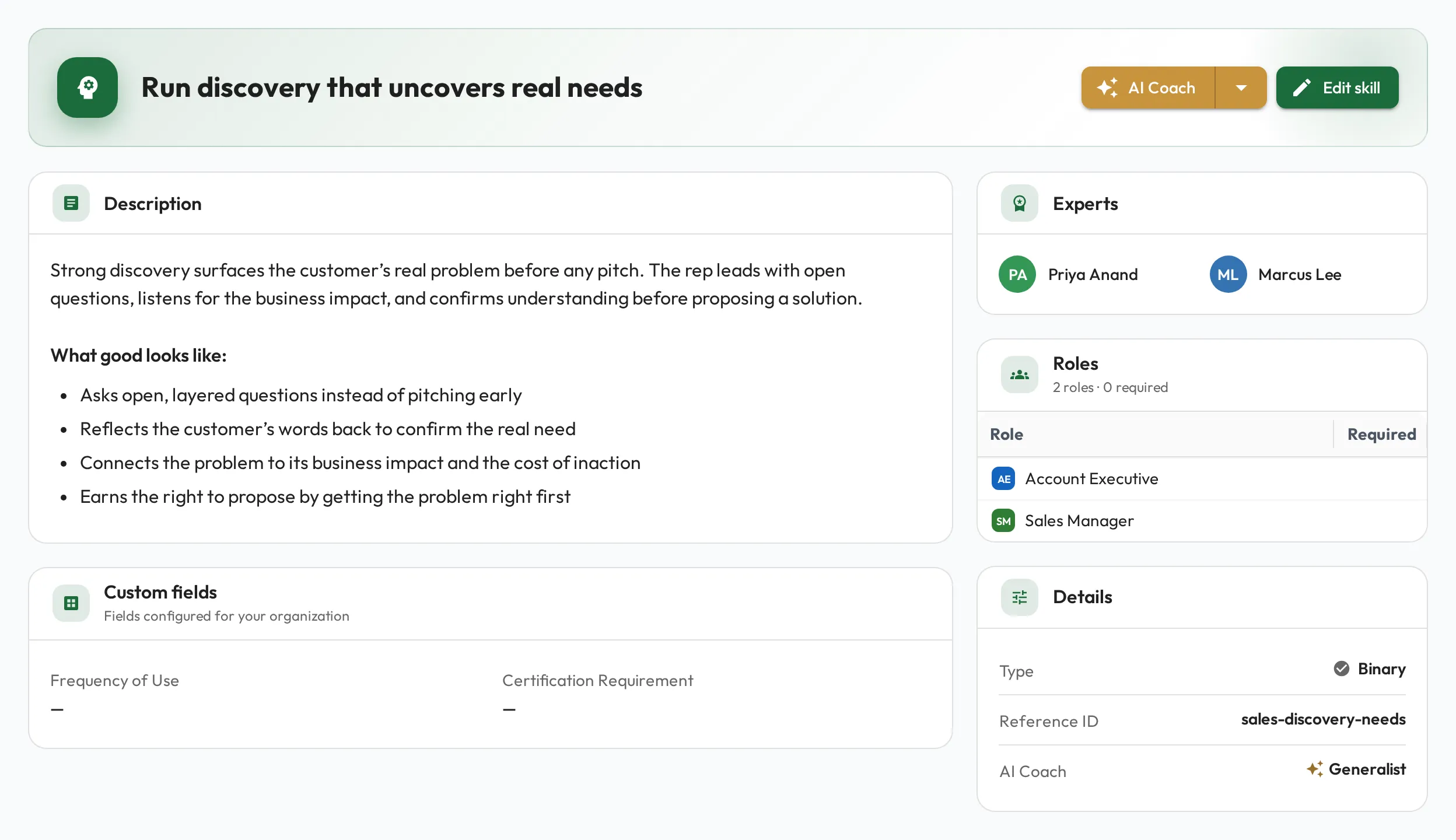
Once a type’s fields are defined, they appear on the create and edit form for every record of that type, and on the record’s page. Here a Skill’s page shows a Custom fields section beside the standard details:
Meeting types
Section titled “Meeting types”Meeting types have extra settings. One of them is a default agenda: Markdown that every new Meeting of that type starts from, so a recurring conversation always opens with the same outline. Anyone who can edit the Meeting can still change its agenda, and editing the type’s default agenda later leaves existing Meetings untouched.
Set it from Organization → Edit → Customization → Meetings, using the Default agenda column on the type.
A default agenda can also place a question set, so every new Meeting of that type asks the same questions without anyone remembering to add them. Open the Default agenda, use the toolbar’s Insert question set button or type / and choose Question set, then pick the set. Like everything else in a default agenda it only reaches Meetings created afterwards — and if that question set is later deleted, edit the default agenda too, or every new Meeting starts with a card pointing at nothing.
Where to set it up
Section titled “Where to set it up”Domain types and their fields are configured by admins from Organization → Edit → Customization. Once defined, the fields appear on the relevant records for everyone to use. On that tab, pick a kind of record (Meetings, Staff, Skills, Teams, Roles) to see its types and, under Field associations, which custom fields each type shows.
Admins can also set this up from their connected AI: describe what you want to track and it can create the fields and attach them to the right type for you.